Does blink security cameras work with 5g internet
Blink security cameras require 2.4 GHz Wi‑Fi. They do not connect to 5G networks directly, but you can still use them with 5G internet via your router's 2.4 GHz band.
Blink security cameras are popular for home monitoring, but many users wonder: does Blink work with 5G internet? The short answer is no, not directly. Blink cameras don’t connect to 5G networks, whether that’s 5G mobile data from a carrier or a 5G internet plan from a home provider. They rely on a 2.4 GHz Wi‑Fi connection to communicate with the Blink servers and to stream video. If your home internet uses a 5G service, you can still use Blink cameras, as long as your router provides a 2.4 GHz Wi‑Fi network that the cameras can connect to. Here’s what that means for setup, everyday use, and common questions.
Setup steps and pitfalls (Blink with 5G)
| Step | Description | Common issue | Solution | Time to complete | Need tools |
|---|---|---|---|---|---|
| Check ISP gateway | Confirm it provides Wi‑Fi | No 2.4 GHz band | Enable/add 2.4 GHz or separate AP | 5–10 min | Admin access |
| 2.4 GHz enablement | Ensure 2.4 GHz is ON | SSID hidden | Reveal SSID / rename | 2–5 min | Phone/computer |
| Blink app pairing | Pair camera to Wi‑Fi | Weak signal | Move closer / extender | 5–15 min | Smartphone |
| 5G hotspot usage | If using hotspot | Data cap risk | Use unlimited plan or balanced data | 10–30 min | Hotspot device |
| Network stability | Check ping | Frequent dropouts | Reboot router | Ongoing | N/A |
Compiled November 2026; check the provider's site for current details.
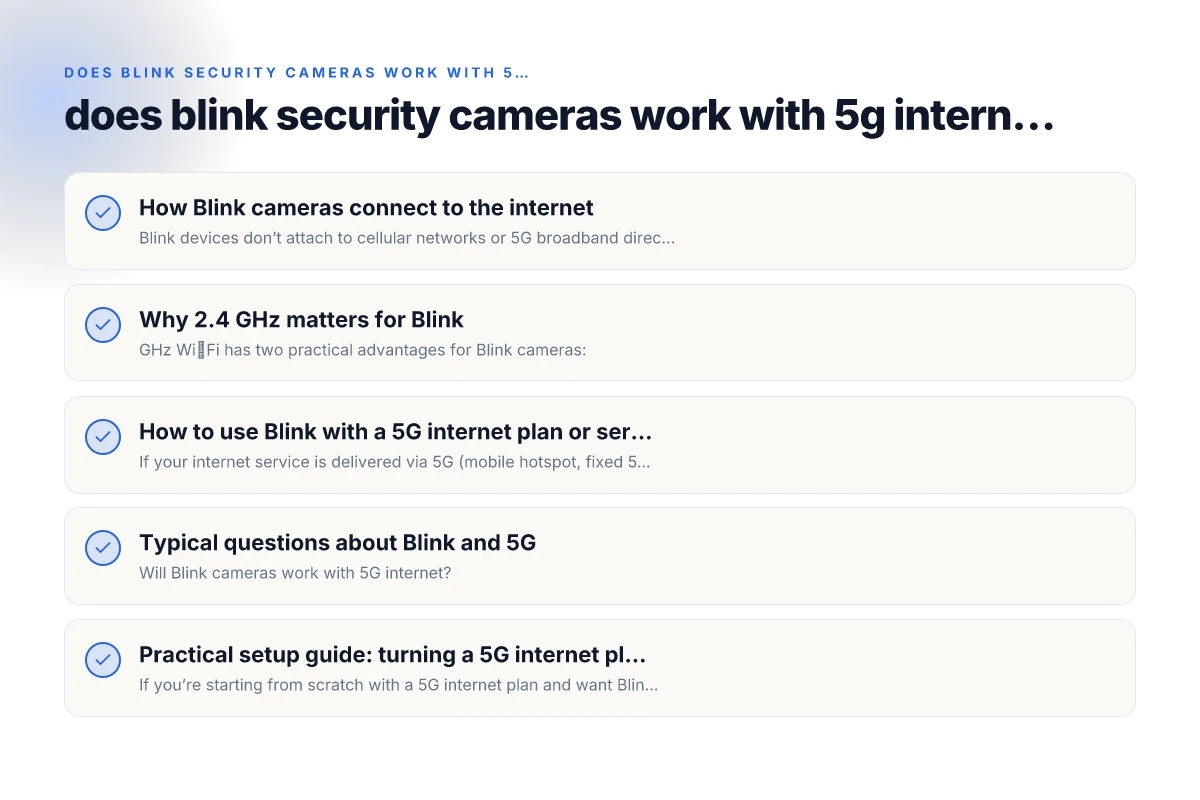
How Blink cameras connect to the internet
Blink devices don’t attach to cellular networks or 5G broadband directly. They are designed to pair with your home Wi‑Fi network, specifically the 2.4 GHz band. Here’s the typical flow:
- You set up the Blink camera using the Blink app.
- The camera connects to your home Wi‑Fi if the network uses 2.4 GHz.
- The Blink app on your phone or cloud service talks to Blink servers via the internet, allowing live view, events, and storage (where applicable).
If your internet plan is labeled as “5G” or you’re using a mobile 5G hotspot, that part doesn’t change the camera’s need for a 2.4 GHz network. The key factor is the router’s wireless bands, not the type of internet service in your area.
Why 2.4 GHz matters for Blink
2.4 GHz Wi‑Fi has two practical advantages for Blink cameras:
- Range: The 2.4 GHz band generally covers a larger area and penetrates walls more effectively than 5 GHz. This helps cameras in rooms far from the router maintain a stable connection.
- Compatibility: Blink devices are designed to pair with 2.4 GHz networks during setup and operation. Some routers offer simultaneous 2.4 GHz and 5 GHz networks (a standard modern setup). The Blink app will only see the 2.4 GHz network for initial connection.
Potential drawbacks of relying on 2.4 GHz: Brinker international payroll company
- Congestion: In homes with many IoT devices, the 2.4 GHz band can become crowded, potentially causing slower performance or occasional disconnects.
- Interference: Other devices (cordless phones, microwave ovens, Bluetooth gadgets) can interfere more on 2.4 GHz.
How to use Blink with a 5G internet plan or service
If your internet service is delivered via 5G (mobile hotspot, fixed 5G home internet, or a carrier’s 5G plan) you can still use Blink by ensuring your home network includes a stable 2.4 GHz Wi‑Fi network. Steps to achieve this:
- Check your router: Make sure your router is broadcasting both 2.4 GHz and 5 GHz bands. Some routers combine them under one SSID (common in “Smart Connect” setups). You may need to separate them so the Blink camera can explicitly choose the 2.4 GHz network.
- Separate SSIDs if needed: If your router uses a single SSID for both bands, log in to the router settings and create distinct names for 2.4 GHz and 5 GHz networks (for example, MyHome-2.4 and MyHome-5G). Connect the Blink camera to the 2.4 GHz network.
- Optimal placement: Place your router or a mesh node closer to the Blink camera to maintain a strong signal on 2.4 GHz. If you have a large home, consider a mesh Wi‑Fi system to improve coverage.
- Test connectivity: After connecting the Blink camera to the 2.4 GHz network, use the Blink app to confirm it stays connected and streams are stable. If you notice frequent disconnects, run a quick Wi‑Fi site survey (signal strength in the camera’s location) and adjust placement or add a repeater/mesh node as needed.
Typical questions about Blink and 5G
- Will Blink cameras work with 5G internet?
- Not directly. Blink cameras require a 2.4 GHz Wi‑Fi connection. Your 5G internet service can be used as the underlying internet connection so long as your router provides a stable 2.4 GHz network for the cameras to join.
- Can I use a 5G hotspot to connect Blink cameras?
- Yes, but the hotspot device must broadcast a 2.4 GHz network that the Blink cameras can join. Some mobile hotspots offer both 2.4 GHz and 5 GHz networks or the ability to create a stable 2.4 GHz network. Stability and data caps of the hotspot can affect video recording and cloud storage.
- Why is my Blink camera not connecting to 5G Wi‑Fi?
- Because Blink does not connect to 5G Wi‑Fi. If your router uses 5 GHz or a single combined SSID, you may need to separate the networks or ensure the camera connects specifically to the 2.4 GHz band.
- Are there differences between Blink Mini, Blink Indoor, and Blink Outdoor with 5G?
- All Blink cameras share the same fundamental requirement: a 2.4 GHz Wi‑Fi connection. If the device can only see a 2.4 GHz network, it will work. If it can only see a 5 GHz network due to router settings, you’ll need to adjust to expose a 2.4 GHz option.
- Do providers advertise 5G internet as a problem for Blink?
- Some users report that using certain carriers’ 5G internet services yields good results, with the caveat that your home network must still supply a 2.4 GHz signal to the cameras.
Practical setup guide: turning a 5G internet plan into Blink-friendly Wi‑Fi
If you’re starting from scratch with a 5G internet plan and want Blink to work smoothly, here is a compact, practical checklist:
- Confirm router capabilities: Does your router support both 2.4 GHz and 5 GHz bands? If not, consider upgrading or adding a mesh system that explicitly supports dual-band operation.
- Configure 2.4 GHz network: Ensure a distinct SSID and password for the 2.4 GHz network. Disable any network isolation features that could block devices from communicating with the Blink cloud.
- Place the Blink cameras strategically: Keep cameras within good range of the 2.4 GHz network, avoiding physical obstructions and heavy interference sources.
- Test streaming quality: On the Blink app, test live view and event recording. Watch for buffering or dropped connections. If issues arise, adjust placement, reduce other 2.4 GHz traffic, or add a mesh node closer to the camera.
- Consider powerline extenders or mesh: In larger homes, powerline adapters that create a 2.4 GHz bridge can be an option, but mesh networks are usually a more robust solution for stable camera connections.
Comparative pros/cons: 5G internet vs traditional broadband for Blink
| Criterion | 5G internet (mobile) | Traditional broadband | Favorable for Blink | Potential drawbacks | Notes |
|---|---|---|---|---|---|
| Availability | Widely available but varies | Stable in fixed locations | Both cover most homes | Mobility vs fixed | 5G is good as secondary backup |
| Latency | Moderate, varies by carrier | Typically lowest | Broadband often better | 5G jitter | 5G can be variable |
| Data caps | Common caps or throttling | Often unlimited or higher caps | Break-even depends | Caps can affect streaming | Watch for hotspot limits |
| 2.4 GHz support | Supported via router/hotspot | Supported | Yes | - | Essential for Blink |
| Installation ease | Quick if 5G plan exists | More wires, fiber/coax | Easy for wireless homes | Carrier setup complexity | Use existing router if possible |
| Cost predictability | Higher variability | More predictable | Planning needed | Monthly changes | Compare total cost of ownership |
Compiled November 2026; check the provider's site for current details. Microsoft Edge secure network VPN
A quick comparison: Blink setup with 5G internet vs traditional broadband
| Scenario | What matters | Typical outcome | Tips |
|---|---|---|---|
| 5G home internet with dual-band router | 2.4 GHz availability, signal strength | Blink cameras connect via 2.4 GHz; performance depends on router placement | Separate SSIDs, optimize placement, consider mesh |
| 5G hotspot for internet | Stability of hotspot connection, data caps | Works if hotspot provides a reliable 2.4 GHz network | Check data plan limits; high usage can incur charges |
| Traditional fiber/cable with built-in router | Router quality, Wi‑Fi design | Smooth Blink operation if 2.4 GHz is present | Use dedicated 2.4 GHz network if needed |
| 5 GHz-only exposure | Incompatible with Blink | Blink cannot connect | Create/force a 2.4 GHz network on router |
Common myths and clarifications
- Myth: Blink cameras work on 5G cellular networks. Clarification: Blink cameras don’t connect to cellular networks. They use Wi‑Fi, specifically the 2.4 GHz band, and can operate over any internet connection that provides a robust 2.4 GHz Wi‑Fi signal.
- Myth: If my internet plan is branded 5G, I must switch to a different camera. Clarification: No. You just need a router that exposes a 2.4 GHz network. The underlying 5G service is fine as long as your home network can deliver the necessary Wi‑Fi connection to the cameras.
- Myth: 2.4 GHz is outdated. Clarification: For many IoT devices like Blink cameras, 2.4 GHz is still the more reliable option due to range and wall penetration. It’s not inherently inferior. It’s a practical engineering choice.
Final recommendations
- If you’re setting up Blink cameras on a 5G internet plan, prioritize a router with strong 2.4 GHz support and good overall mesh coverage. The 2.4 GHz band is the linchpin for Blink compatibility, not the type of internet service you subscribe to.
- When possible, separate the 2.4 GHz network from the 5 GHz one to avoid devices accidentally binding to the wrong band. This is a simple, effective way to reduce setup problems.
- If you encounter ongoing stability issues, consider adding a mesh Wi‑Fi system or a wired backhaul for more reliable coverage in key camera locations.
- Regularly update the Blink app and camera firmware. Occasional bug fixes can improve reliability and compatibility with newer routers or Wi‑Fi standards.
- If you use a mobile hotspot for your 5G internet, monitor data usage and speed. Video streaming from Blink cameras can consume more data, and some plans impose throttling after a data cap.
In summary, Blink security cameras do not work with 5G internet directly, but they do function perfectly well over a 2.4 GHz Wi‑Fi network. By ensuring your 5G-based home network provides a robust 2.4 GHz connection, you can enjoy reliable Blink performance without changing your internet plan. If you’re upgrading your router or expanding coverage at home, look for models that clearly support stable dual-band operation and, if needed, invest in a mesh system to keep every camera within strong 2.4 GHz reach.